Login to your account via https://advendapro.com.au/login
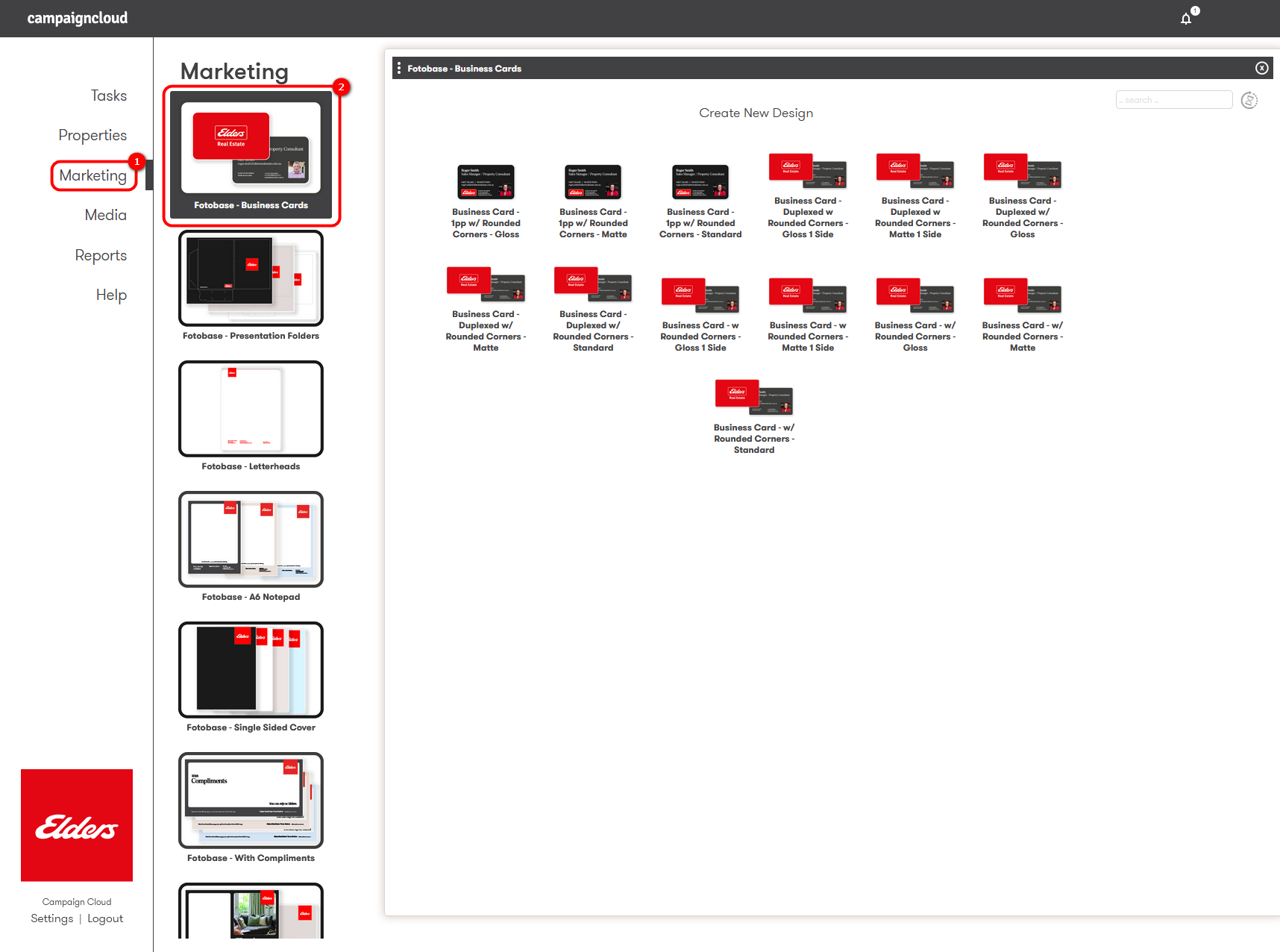
1. Navigate to your product type.
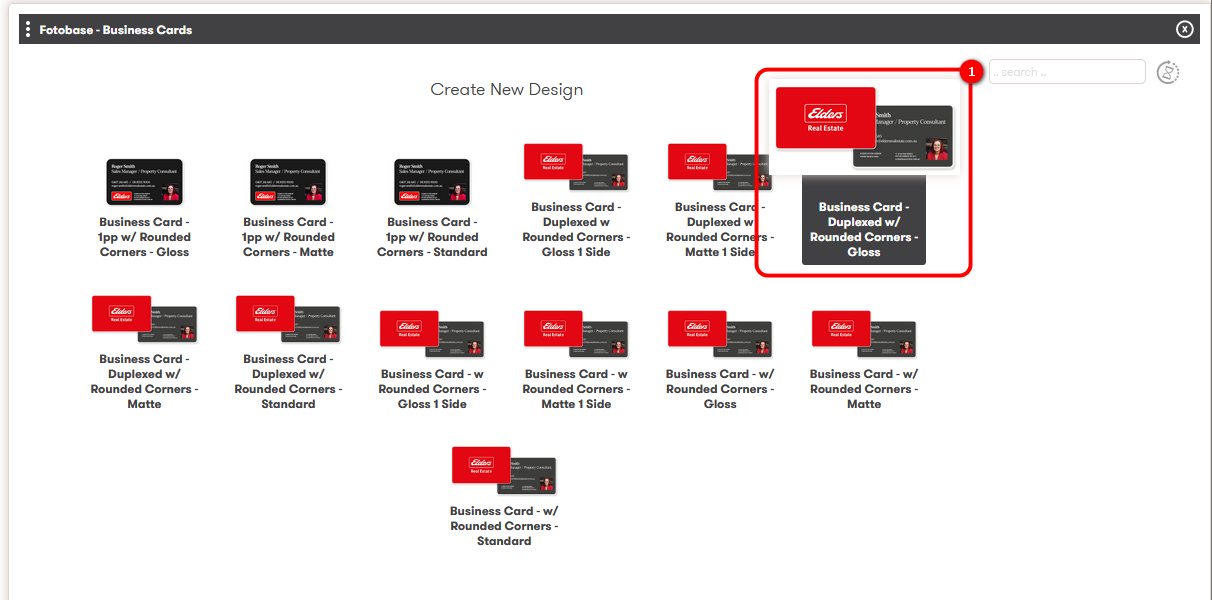
Open 'Marketing' > Select the category 'Fotobase - Business Cards' > Below the heading Create New Design, choose your preferred finish type.
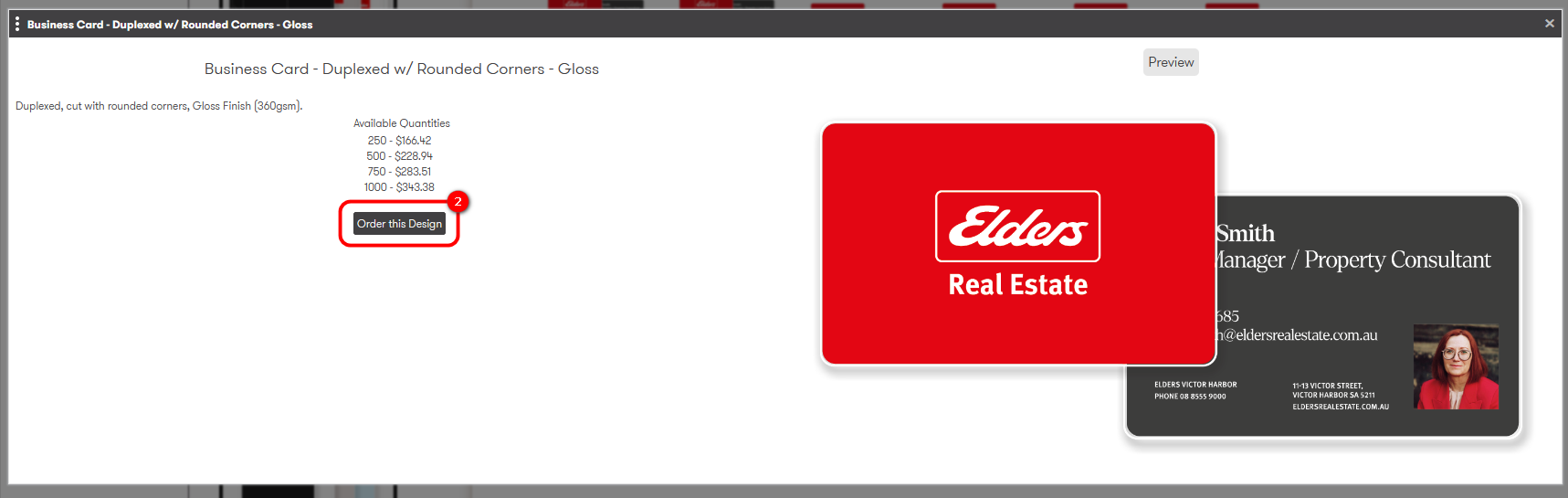
2. Create an save your artwork.
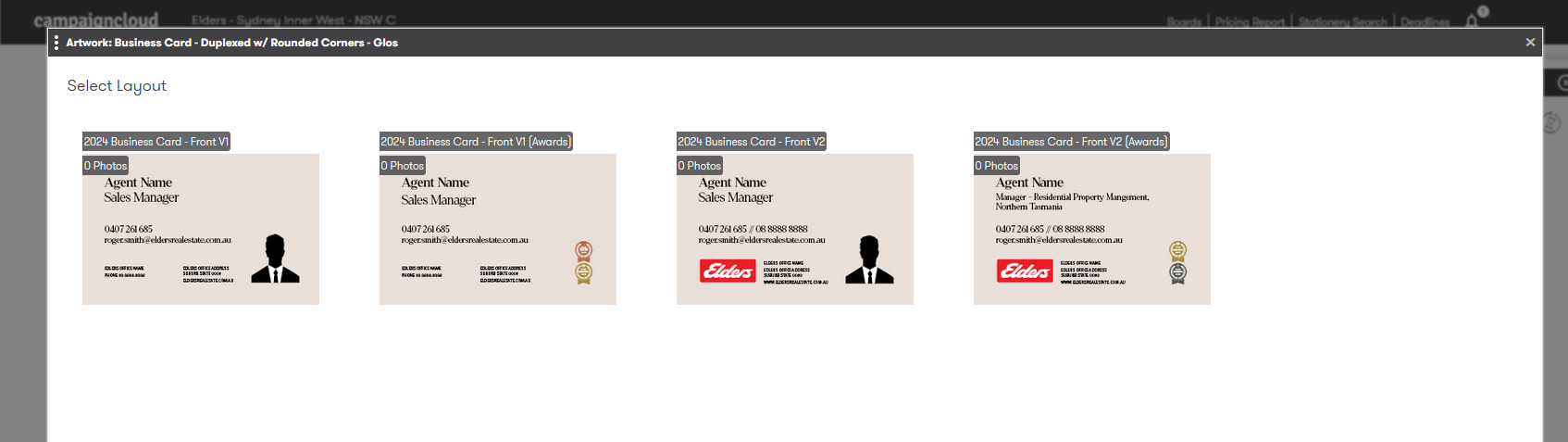
When you have select your preferred finish type, in the pop up window select 'Order this Design' > Then, in the template selection screen, choose your preferred layout.
Enter into the artwork Editor:
Select your ideal layout/design:
Complete all required fields and click 'Save Artwork':
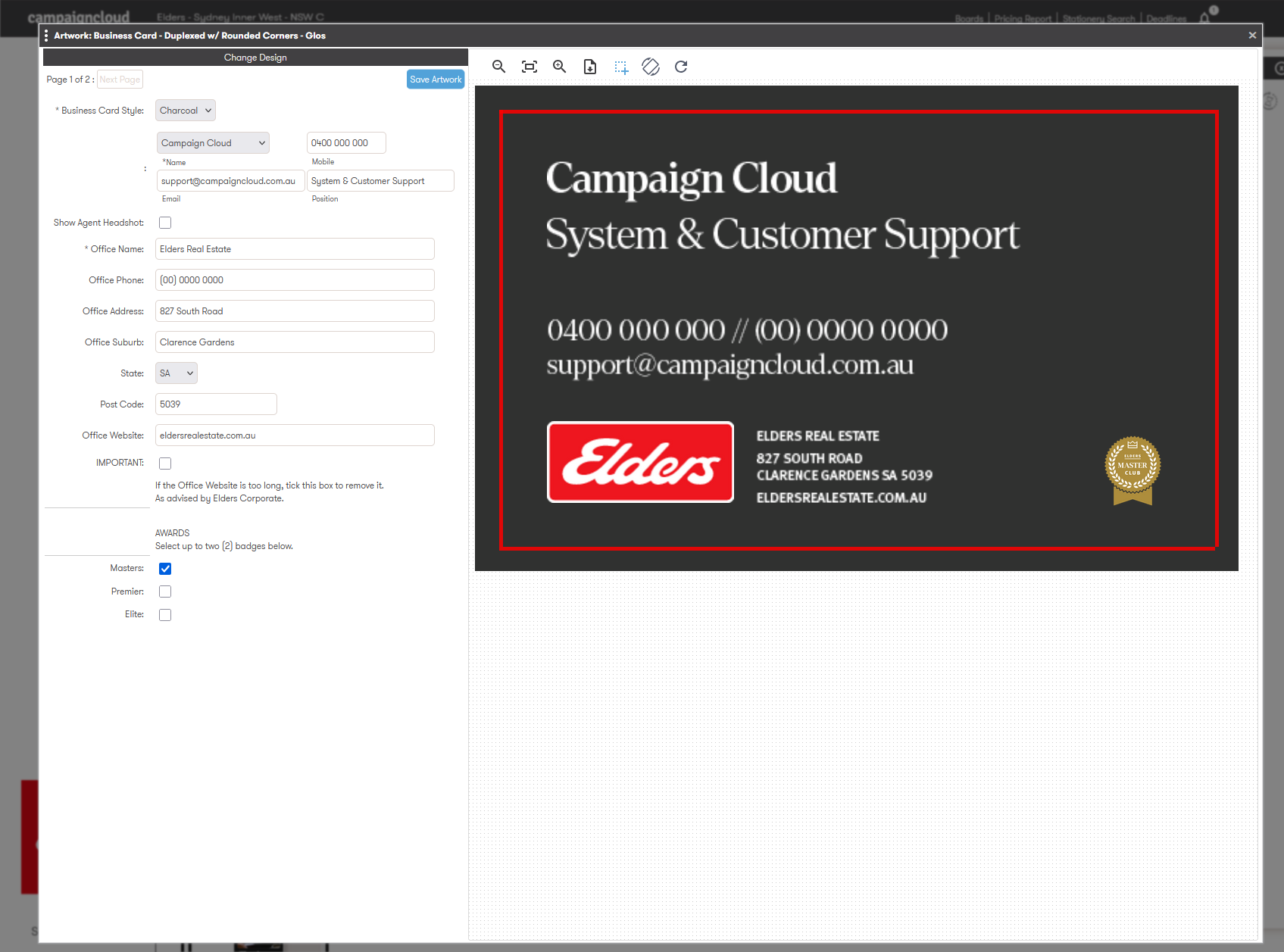
Move to page 2 (if applicable) and repeat the above mentioned process > Click 'Save and Continue'.
3. Finalise your order.
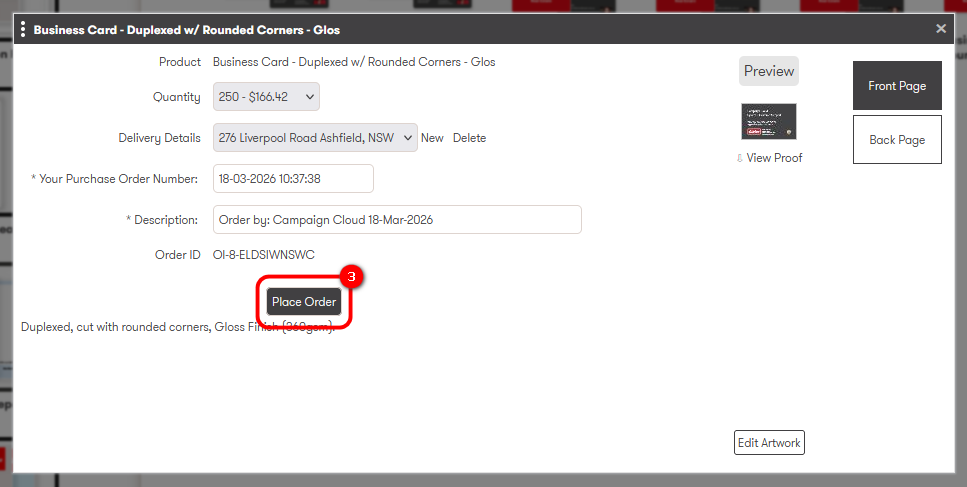
In the final pop up screen, select your quantity, delivery address and click 'Place Order':
Was this article helpful?
That’s Great!
Thank you for your feedback
Sorry! We couldn't be helpful
Thank you for your feedback
Feedback sent
We appreciate your effort and will try to fix the article